Table of Contents
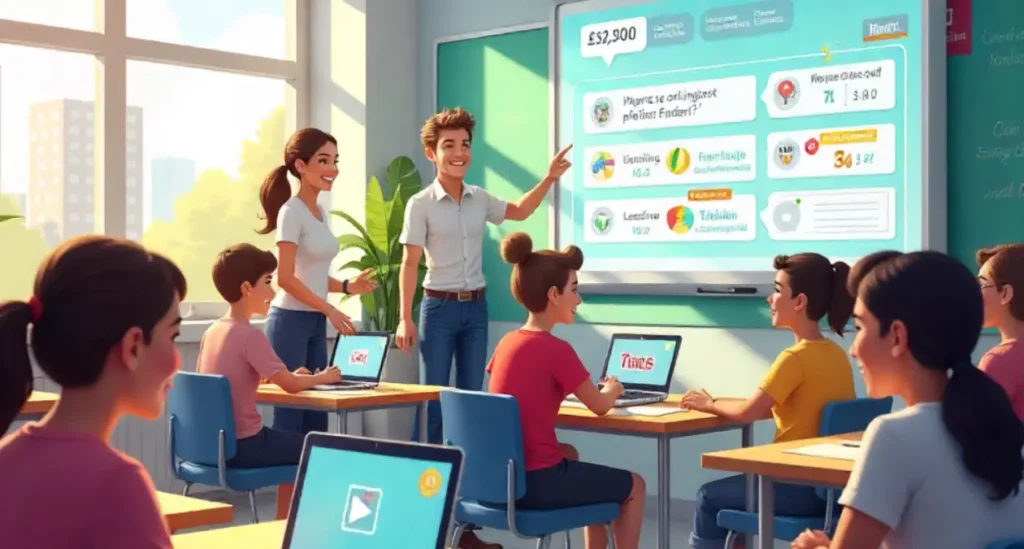
Have you ever wanted to turn a boring review into a buzzing, classroom-wide tournament? Blooket does exactly that. Think of Blooket as a playful toolkit that turns questions into games — fast, friendly, and surprisingly powerful. It’s like turning your lesson into a mini-arcade where learning happens while students cheer, compete, and laugh.
Quick Overview: The Core Idea Behind Blookrt
Blookrt
blends quizzes and games so learners interact with content actively. Instead of passively reading, students answer, earn points, and get immediate feedback. That instant loop — question, attempt, feedback — is where learning sticks.
Game-based Learning Made Simple
Game-based learning is more than fun. It’s about spaced practice, immediate feedback, and motivation. Blooket packages these evidence-backed ideas in a user-friendly interface. You don’t need to be a tech whiz to get started.
Who Can Use Blooket? (Teachers, Students, Parents)
Everyone. Teachers use Blooket to teach and assess. Students play, practice, and study. Parents can use it for homework help or weekend review sessions. It’s flexible: quick 5-minute drills or full-class tournaments.
Getting Started: Creating Your Free Account on Blooket
Ready to jump in? Sign-up is straightforward. Use an email or single-sign-on if available, pick your role (teacher or student), and you’re set. Make sure to use a clear username so students or colleagues can find you easily.
Step-by-step Signup
- Visit the Blooket site and click Sign Up
- Enter email, set password, verify if required
- Choose your mode: Teacher or Student
- Access your dashboard and explore game features
Choosing the Right Role
If you’re hosting, pick Teacher. If you just want to play, choose Student. Teachers get access to reports and create games, while students get a smooth playing experience. its a good platform for learning.
Exploring Game Modes on Blookrt
One of Blooket’s biggest strengths is its range of game modes.
Classic Modes: Quick Review
Speed-based quiz rounds perfect for warm-ups or quick class review. Questions appear, students respond — simple, fast, engaging.
Competitive Modes: Engage Your Learners
These modes introduce leaderboards, rewards, and competition. Great for energizing the room and boosting motivation.
Chill Modes: Low-pressure Practice
Perfect for homework or slow-paced revision. Students move at their own speed without pressure.
Building a Question Set (The Heart of Blooket)
The quality of your question set determines the quality of the learning experience.
Writing Effective Questions
Clear, short, meaningful. Avoid tricky wording. Include distractors that test real understanding.
Importing and Reusing Content
You can upload CSV question files or duplicate existing sets. Saves time and keeps learning consistent.
Hosting and Joining Games
Hosting is where teaching becomes play.
Host Settings: Live vs Self-paced
Live = real-time fun.
Self-paced = students complete individually anytime.
Choose depending on your lesson need.
Joining: Codes, Links, and Devices
Students join using a Game Code or direct link. Works on phones, tablets, laptops — no installations required.
Tips to Make Blooket Sessions More Engaging
Gamify Rewards, Badges, and Streaks
Use points, ranks, and streak rewards to fire up motivation. Even small achievements feel big when gamified.
Use Multimedia: Images, GIFs, and Sound
A picture makes questions lively. A meme makes students laugh. A sound clip tests listening. Engagement becomes effortless.
Using Blooket for Assessment and Feedback
Formative Assessment Tricks
Quick quizzes give teachers instant understanding of what students know, what they forgot, and what needs reteaching.
Tracking Progress and Reports
Review player stats after each round. Turn insights into next-day lesson plans and corrective teaching.
Classroom Management & Safety on Blooket
Privacy Controls and Student Accounts
Use anonymous names if needed. Keep student identity private in shared sessions.
Managing Distractions
Set rules: no side tabs, no unrelated chat, no rushing answers. Short sessions reduce off-task behavior naturally.
Creative Lesson Ideas Using Blooket
Warm-ups, Exit Tickets, and Review Games
Start the day with brain warm-ups. End with exit ticket quizzes. Students retain more when learning feels like a game.
Project-based and Cross-curricular Uses
Turn projects into quiz rounds. Mix subjects like Science + Math + History and see who connects ideas fastest.
Troubleshooting Common Blooket Issues
Connection Problems
Wi-Fi overload? Refresh host page, reduce player load, or switch to slower-paced modes.
Content Formatting and Missing Features
If images break, resize and re-upload. Test question sets before live hosting for smooth gameplay.
Advanced Features & Pro Tips
Customization, Themes, and Power-ups
Themes add color, power-ups add surprise. Students love unpredictability — use it to spark curiosity.
Collaboration and Sharing Sets
Share your sets with educators. Build bundles for grade-level teams. Strong content spreads learning farther.
Conclusion
Learning doesn’t have to feel like work — not when Blooket turns lessons into adventures. Its game modes, question sets, scoreboards, and creative flexibility bring energy into classrooms. When students laugh, compete, and explore, they learn without realizing it. Try Blooket once, and you’ll see how playful learning transforms engagement, retention, and excitement.
FAQs
1. Is Blooket free to use?
Yes, the base version is free. You can upgrade if you want more features.
2. Can Blooket be used on mobile phones?
Yes — works on browsers, no app download required.
3. What subjects can I teach using Blooket?
Any subject — if you can form questions, you can gamify it.
4. How do I stop fast players from always winning?
Use accuracy-based scoring, random question order, or self-paced modes.
5. How often should Blooket be used in a classroom?
Short sessions 2–3 times a week work best for learning + fun balance.