Table of Contents
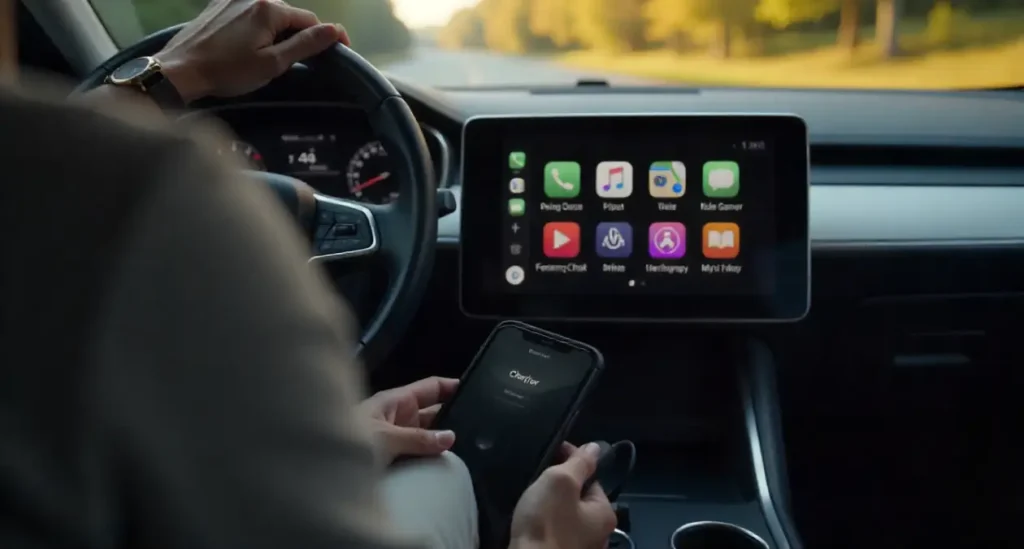
You plug your iPhone into your car, and it starts charging right away. The battery icon appears, so everything looks normal. But the screen stays the same. Apple CarPlay never shows up. No maps, no music apps, no messages. This situation is frustrating because charging makes it feel like the connection should work.
This issue happens more often than people realize. Charging only means power is flowing. CarPlay needs a stable data connection too. When that data link fails, your phone charges, but the system cannot communicate with your car. Let’s walk through Phone Charging but CarPlay Not Working? problem in a clear and practical way, so you can fix it without stress.
Why Phone Charging but CarPlay Not Working? Confuses So Many Drivers
Charging Works but Features Don’t
Most users assume that if the phone is charging, everything else should work automatically. That assumption is natural, but it is not how CarPlay functions. Power delivery and data transfer are separate processes. Your phone can receive power even when the data connection is weak or completely blocked.
Why People Think CarPlay Is Broken
Because charging works, people often blame Apple CarPlay itself. In reality, the issue is usually something small, like a cable, a setting, or a software mismatch. Once you understand where the connection breaks, the fix becomes much easier.
How Apple CarPlay Actually Works
Power vs Data Connection
Charging only requires basic electrical contact. CarPlay needs a clean and stable data channel to send information like navigation, music, and messages to your car’s screen. If that channel fails, the car never recognizes the phone as a CarPlay device.
What Your Car Needs to Detect CarPlay
Your car’s system looks for a certified data connection. If it only sees power, it treats your phone like a battery, not a smart device. This is why charging alone is never a guarantee that CarPlay will launch.
The Most Common Reasons This Issue Happens
Low-Quality or Damaged USB Cable
This is the most common reason by far. Many cables are designed mainly for charging. Over time, cables also wear out internally. Even if the cable still charges your phone, the data wires may no longer work properly.
Dirt or Wear Inside the Charging Port
Pocket lint, dust, and debris can block the data pins inside the port. Power may still pass through, which makes the problem hard to notice. Cleaning the port gently can often restore CarPlay functionality.
Car USB Port Limitations
Some car USB ports are weak or outdated. Older vehicles may provide enough power to charge a phone but not enough stability for data transmission. This can cause CarPlay to fail repeatedly.
CarPlay Disabled in iPhone Settings
Sometimes CarPlay is turned off by mistake. A phone update, reset, or restriction setting can disable it without any clear warning.
iOS or System Software Bugs
Software updates can occasionally introduce bugs. These bugs may affect how your phone communicates with your car, even when everything worked fine before.
USB Cables Are the Biggest Culprit
Charging-Only vs Data-Supported Cables
Charging-only cables lack proper data wiring. They are common, especially cheaper third-party cables. These cables power your phone but cannot support CarPlay at all.
How to Choose the Right Cable for CarPlay
Use an original Apple cable or a certified high-quality alternative. If CarPlay works on a computer but not in your car, the cable is almost always the problem.
Car USB Ports and Their Hidden Limits
Why Older Cars Struggle with CarPlay
Older infotainment systems were not designed with modern smartphones in mind. They may struggle to maintain a stable data connection, especially with newer iPhones.
USB-A vs USB-C Ports in Cars
USB-C ports generally offer better data stability. If your car has multiple ports, test each one. Some ports are designed only for charging, not data.
iPhone Settings That Can Quietly Block CarPlay
CarPlay Permissions and Trusted Vehicles
Your iPhone needs permission to connect to your car. If the vehicle is not trusted or was removed from the CarPlay list, the connection will fail even though charging works.
Screen Time and Content Restrictions
Screen Time settings can block CarPlay access. This often happens without users realizing it, especially after enabling restrictions for apps or privacy.
Siri and Location Access Requirements
CarPlay relies heavily on Siri and location services. If Siri is disabled or location access is restricted, CarPlay may not launch at all.
Software Updates and Compatibility Problems
Issues After iOS Updates
Some users notice CarPlay issues right after updating iOS. These problems are usually temporary and fixed in later updates, but restarting and reconnecting often helps.
Why Updating the Car System Matters
Your car’s infotainment system also runs software. If it is outdated, it may not work properly with newer iOS versions.
Wired vs Wireless CarPlay Problems
Why Wireless CarPlay Fails While Charging Works
Wireless CarPlay uses Bluetooth and Wi-Fi. Charging through a cable does not guarantee a stable wireless connection.
Bluetooth and Wi-Fi Interference
Nearby devices, corrupted pairings, or weak signals can interrupt wireless CarPlay while charging continues normally.
Step-by-Step Fixes You Should Try First
Restarting Devices Properly
Restart your iPhone completely. Turn off your car and wait a short time before restarting it. This clears temporary glitches.
Testing with Different Cables and Ports
Try another cable and another USB port if available. This simple step solves the issue in many cases.
Reconnecting CarPlay from Scratch
Remove your car from CarPlay settings and set it up again as if it were new.
Advanced Fixes When Basic Steps Don’t Work
Resetting Network Settings
This resets Bluetooth and Wi-Fi without deleting personal data. It often fixes stubborn connection problems.
Resetting All iPhone Settings
This option keeps your data but resets system preferences. It can resolve deeper conflicts affecting CarPlay.
When Professional Help Is Needed
If CarPlay never works in your vehicle, contact Apple Support or your car manufacturer to confirm compatibility.
How to Prevent Phone Charging but CarPlay Not Working problem in the Future
Daily Habits That Protect CarPlay
Use good cables, avoid bending connectors, keep ports clean, and update software regularly. Small habits prevent big problems.
Accessories That Improve Stability
High-quality cables and reliable wireless adapters can reduce future connection issues.
Is It a Hardware or Software Issue
Signs of Hardware Problems
CarPlay never worked, USB ports feel loose, or cable movement affects the connection.
Signs of Software Problems
CarPlay stops working after updates, works intermittently, or returns after restarting.
Conclusion
When a phone charges but CarPlay does not work, the problem is usually simple once you understand it. Charging only confirms power flow, not communication. Most issues come down to cables, ports, settings, or software mismatches. By checking each step carefully, you can restore CarPlay and enjoy a smooth driving experience again.
FAQs
1. Why does my phone charge but CarPlay does not start?
Charging only supplies power. CarPlay requires a stable data connection that may be blocked.
2. Can a damaged cable still charge but not support CarPlay?
Yes. Data wires often fail before power wires.
3. Does wireless CarPlay require charging to work?
No. Wireless CarPlay relies on Bluetooth and Wi-Fi, not the charging cable.
4. Will cleaning the charging port help CarPlay?
Yes. Dirt can block data pins even when charging works.
5. Should I update my car’s infotainment system?
Yes. Updates often fix compatibility issues with newer iOS versions.